How to use Extraction Functions in PDF 3.0?
1. Change date format
This function will change the date-time format.
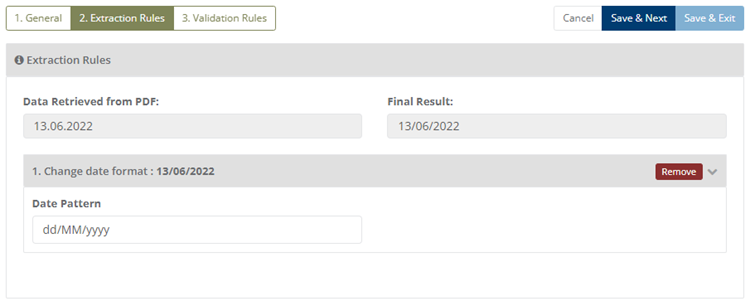
Example 1
Input: 13.06.2022
Applied Function Change DateTime Format(dd/MM/yyyy hh:mm:ss)
Output: 13/06/2022


Format                    Output DateTime
dd/MM/yyyy                  13/06/2022
MM/dd/yyyy                  06/13/2022
yyyy/MM/dd                  2022/06/13
dd-MM-yyyy                  13-06-2022
MM-dd-yyyy                  13-06-2022
yyyy-MM-dd                  2022-06-13
dd/MM/yyyy HH:mm:ss         13/06/2022 05:50:06
dd/MM/yyyy hh:mm tt         13/06/2022 05:50 AM
2.Split
This function will return a string at a given position by splitting it with a given separator character.
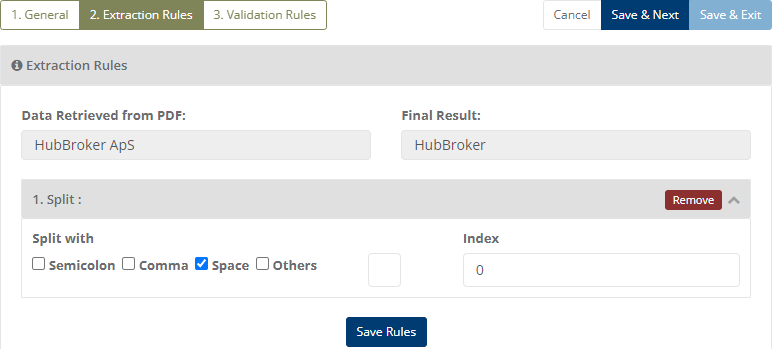
Example 2
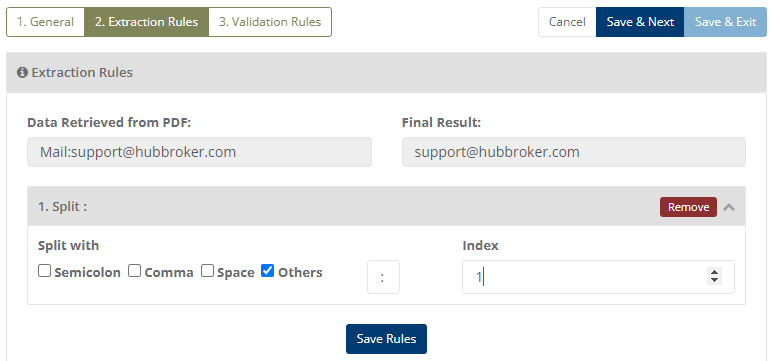
Example 1
Input: Mail:support@hubbroker.com
Applied Function Split with (:)
Output: 22/03/2008 10:10:10
3. Replace
This function will replace the old value with the new value in the given string.
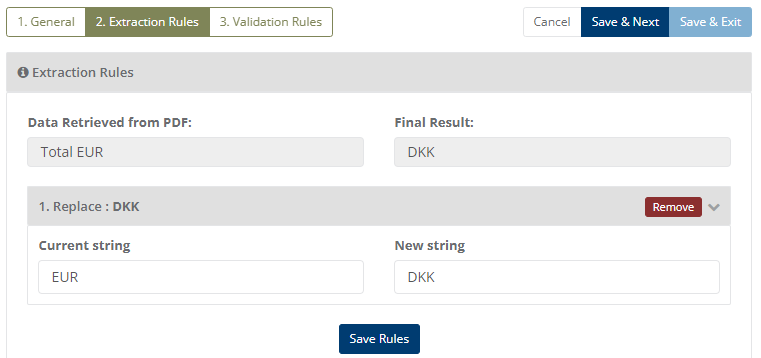
Example 1
Input: Total EUR
Applied Function Replace with Current String(EUR) and New String(DKK)
Output: DKK
4. Remove
This function will remove the specified value from the given string.
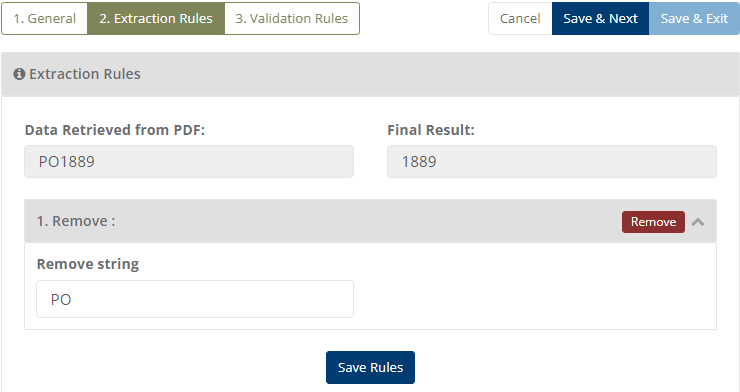
Example 1
Input: PO1889
Applied Function Remove with Remove String(PO)
Output: PO
5. Get 8 Digit Number
This function will check whether the number is 8 digits or not and returns the number if 8 digits.
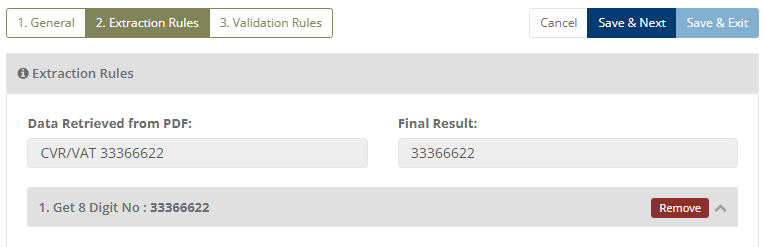
Example 1
Input: CVR/VAT 33366622
Applied Function Get 8 Digit No(33366622)
Output: 33366622
6. Get 13 Digit Number
This function will check whether the number is 13 digits or not and returns the number if 13 digits.
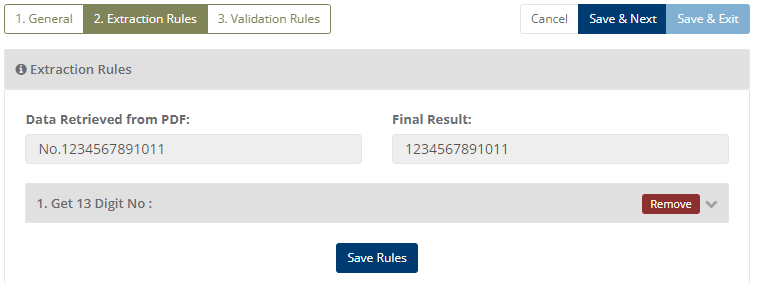
Example 1
Input: No.1234567891011
Applied Function Get 13 Digit No(1234567891011)
Output: 1234567891011
7. Regex
This function will return data if it matches with the provided regex pattern.
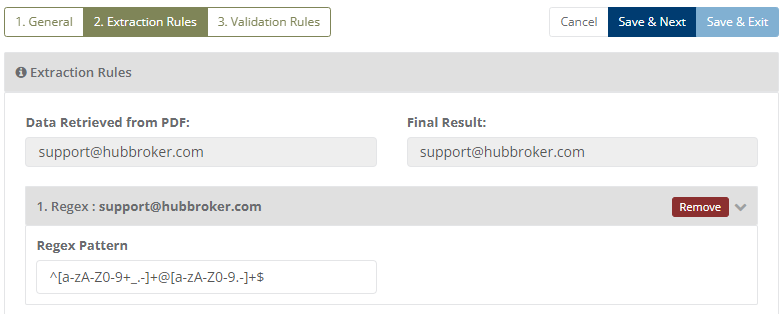
Example 1
// pattern for Phone No. & Fax
Input: string="+12 345 67 89 101"
       regex pattern=^[0-9 +]+$
Applied Function Regex(^[0-9 +]+$)
Output: +12 345 67 89 101

Example 2
// pattern for Email
Input: string="test@mail.com"
       regex pattern=\w+([-+.']\w+)*@\w+([-.]\w+)*\.\w+([-.]\w+)*
Applied Function Regex(\w+([-+.']\w+)*@\w+([-.]\w+)*\.\w+([-.]\w+)*)
Output: test@mail.com
8. Get Name From Email
This function will return the name from the given email.
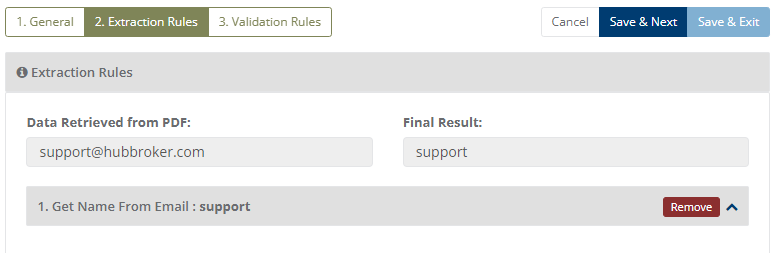
Example 1
Input: supported@hubbroker.com
Applied Function Get Name From Email(support)
Output: support
9. Get Digits
This function will return only digits from the given string.
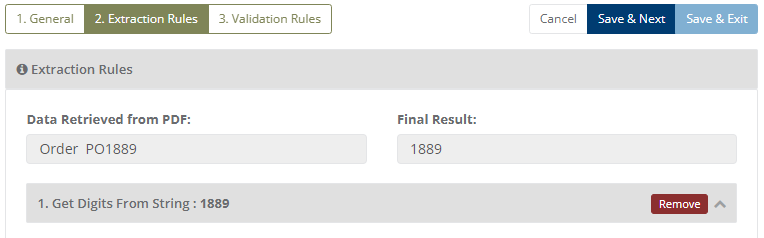
Example 1
Input: Order PO1889
Applied Function Get Name From Email(support)
Output: support
10. SubString From String
This function will return Substring from a given string based on the index.
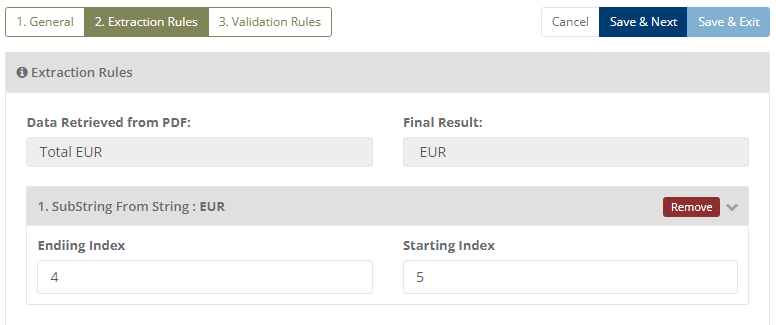
Example 1
Input: Total EUR
Applied Function SubString from Ending Index(4) and Starting Index(5)
Output: EUR
11. Get Amount Before Character
This function will return the amount before the character from a given string.
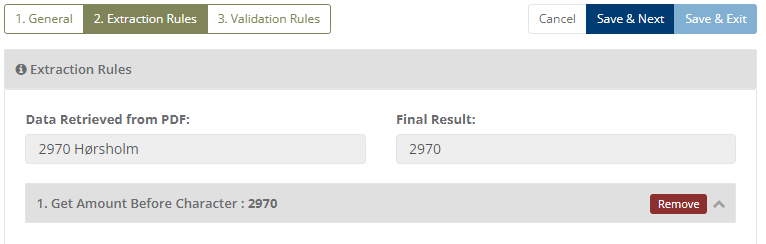
Example 1
Input: 2970 Horsholm
Applied Function Get Amount Before Character(2970 Horsholm)
Output: 2970
12. Get Character Before Digits
This function will return the character before digits from a given string.
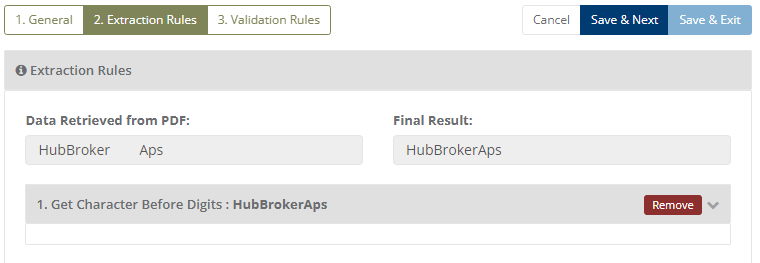
Example 1
Input: HubBroker    Aps
Applied Function Get Character Before Digits(HubBroker    Aps)
Output: HubBroker Aps
13. AutoIncrement Line Number
This function will return Incremented line number.
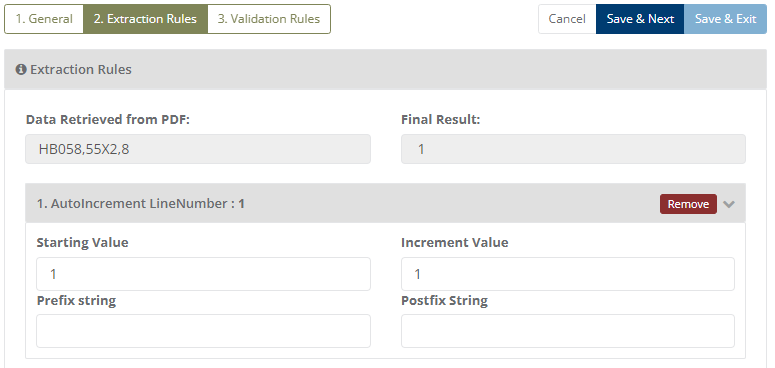
Example 1
Input: HB058,55X2,8
Applied Function AutoIncrement Line Number Starting Value(1), Increment Value(2), Prefix String(), and Postfix String()
Output: 1
14. Convert Multiple Space To Single Space
This function will return a single space from multiple spaces.
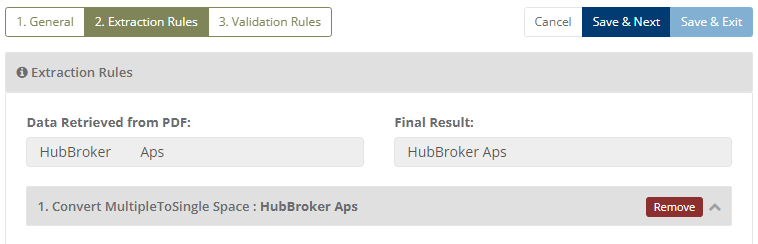
Example 1
Input: HubBroker    Aps
Applied Function Convert Multiple Space To Single Space(HubBroker    Aps)
Output: HubBroker Aps
15. Get Current Date
This function will convert the previous date into the current date.
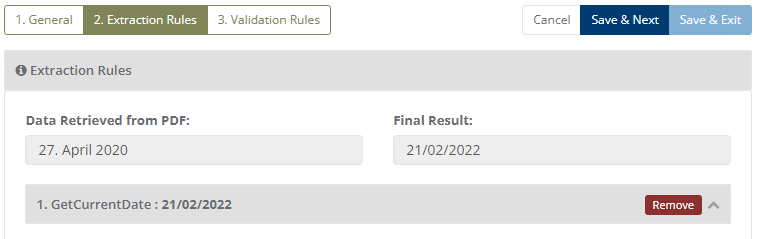
Example 1
Input: 27. April 2020
Applied Function Get Current Date(dd/MM/yyyy)
Output: 21/02/2022
16. Get Base64 String From Path
This function will return a base64 string from the path.
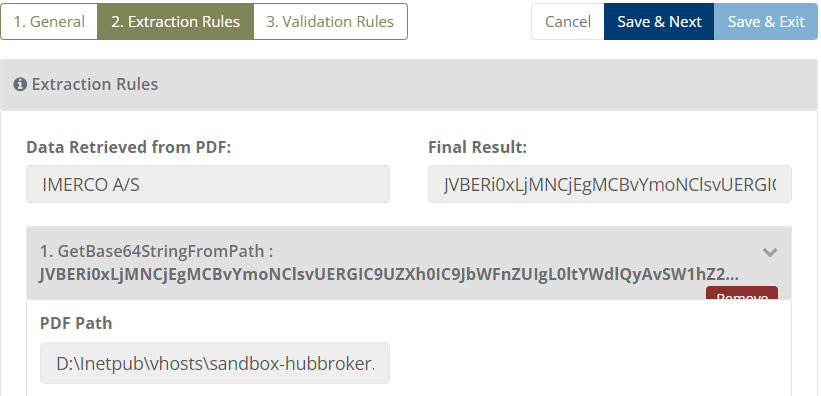
Example 1
Input: IMERCO A/S
Applied Function Get Base 64 String From Path()
Output: JVBERi0...
17. Get Email Using Regex
This function will return the Email using regex pattern.
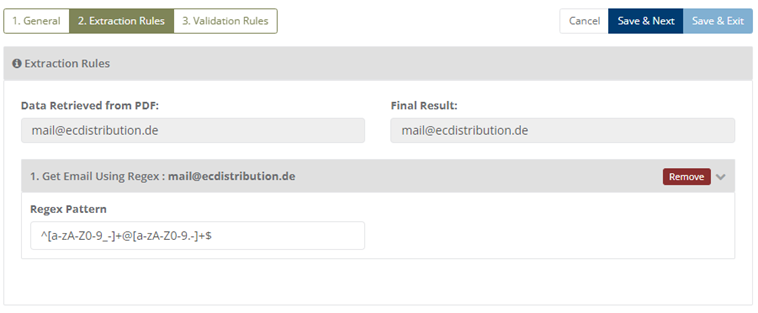
Example 1
Input: mail@ecdistribution.de
Applied Function Get Email Using Regex(add pattern)
Output: mail@ecdistribution.de
18. SetPrefix
This function will return a string with a given prefix value.
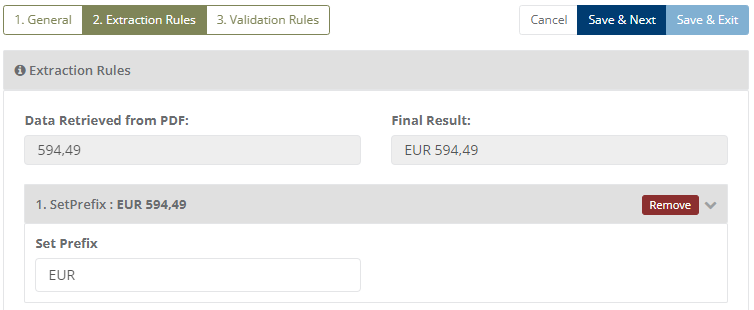
Example 1
Input: 594,49
Applied Function SetPrefix(EUR)
Output: EUR 594,49
19. SetSuffix
This function will return a string with a given suffix value.
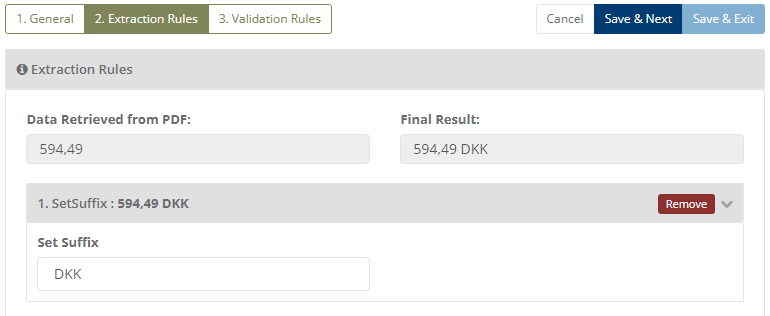
Example 1
Input: 594,49
Applied Function SetPrefix(DKK)
Output: 594,49 DKK
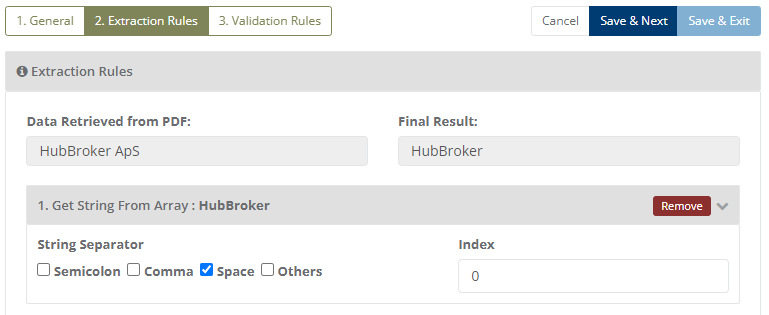
20. Get String From Array
This function will return a string from a given index from a given string by separating it with a given character.
Example 1
Input: HubBroker ApS
Applied Function String Separator(Space) and Index(0)
Output: HubBroker
21. Get First Date Of Week
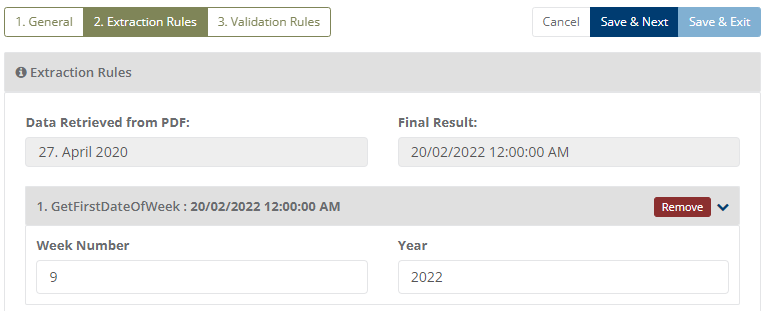
This function will return the First Date of the week.
Example 1
Input: 27. April 2020
Applied Function Get First Date Of Week, Week Number(9) and Year(2022)
Output: 20/02/2022 12:00:00 AM
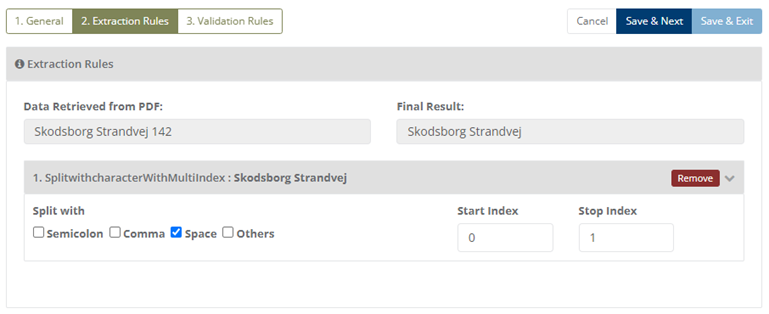
22. Split with character With MultiIndex
This function will return the string at a given position by a split character.
Example 1
Input: string="ABC,123,xyz"
       Split with=Comma, Start Index=0, Stop Index=1
       Applied Function Split with character With Multi Index("ABC,123,xyz")
Output: ABC,123
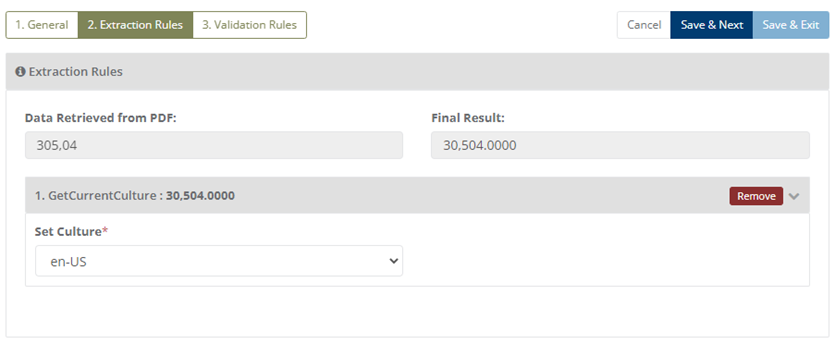
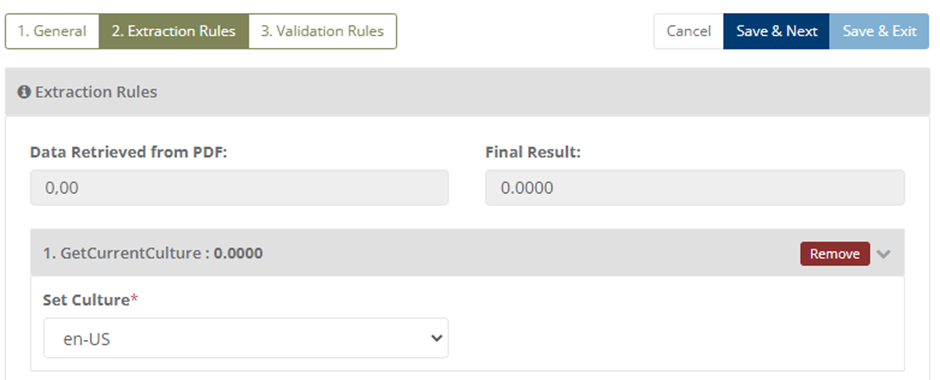
23. GetCurrentCulture
This function will return current culture value.
Example 1
Input: string="123,45.00"
       Set Culture= en-US
       Applied Function Get Current Culture("123,45.00")
Output: 123.45,0000
24. Extract Emails
This function will return extract emails from text.
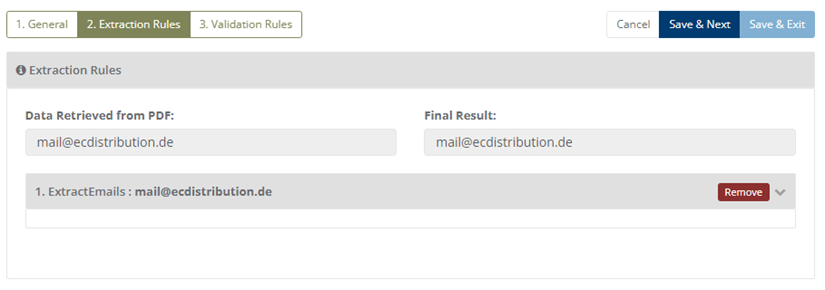
Example 1
Input: string="E-mail: info@springcopenhagen.com"
       Applied Function Extract Emails("E-mail: info@springcopenhagen.com")
Output: info@springcopenhagen.com
25. Get Current Week
This function will return the current week from a given date.
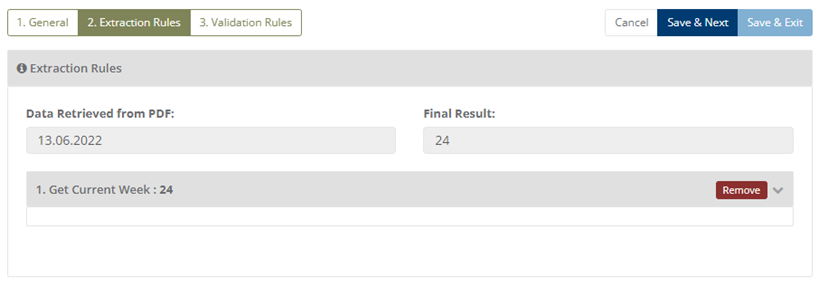
Example 1
Input: string="02/18/2022"
       IF result = Fail
       then,
            Use (Convert String to Date-Time) function to convert string in proper format(culture)
            After that use "Get Current Week"
       Applied Function Get Current Week("02/18/2022")
Output: 7
26. Convert String To DateTime
This function will return the date value.
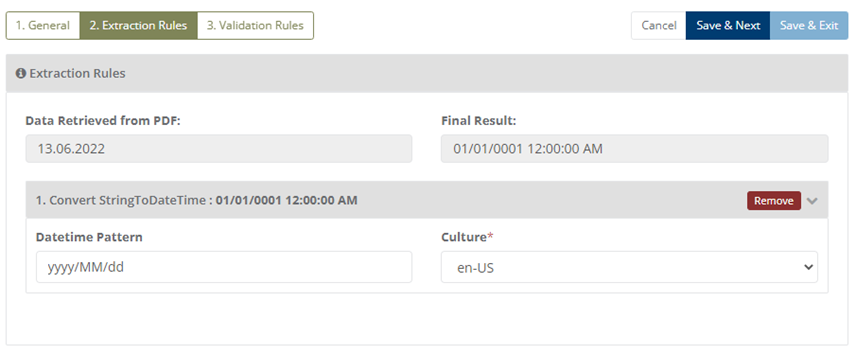
Example 1
Input: string="18/02/22"
       Datetime Pattern= MM/dd/yy,  Culture= en-US
       Applied Function Convert String To DateTime("18/02/22")
Output: 02/18/2022 12:00:00 AM
27. Set Endpoint Qualifier
This function will return the endpoint qualifier value.
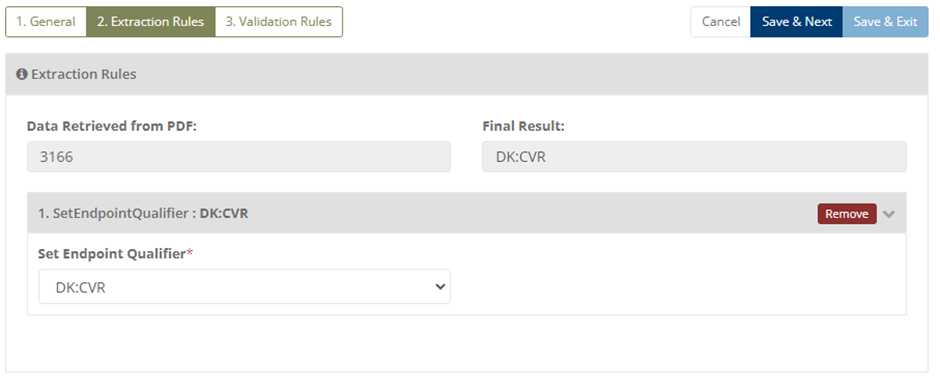
Example 1
Input: string="37156736"
       Set Endpoint Qualifier=DK:CVR
       Applied Function Set Endpoint Qualifier("37156736")
Output: DK:CVR
28. Get Country Code
This function will return the country code value.
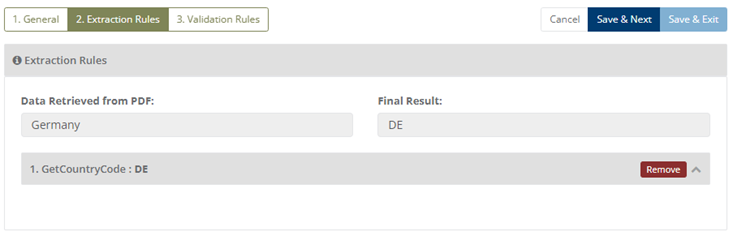
Example 1
Input: string="Denmark"
       Applied Function Get Country Code("Denmark")
Output: DK
29. When Date Is Empty/Past/Today, Use DayAfterTomorrow
If the Date is empty/past/today, then this function will return the day after tomorrow value (excluding the weekend)
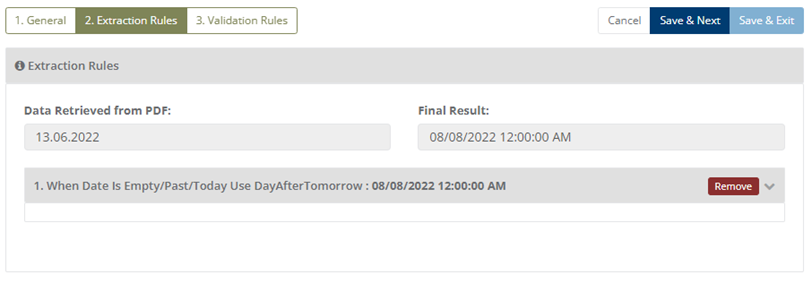
Example 1
Input: string="18/02/2022"
       Applied Function When Date Is Empty/Past/Today, Use DayAfterTomorrow("18/02/2022")
Output:22/02/2022 12:00:00 AM
30. Get data from another field
This function will return the data from another configured field.
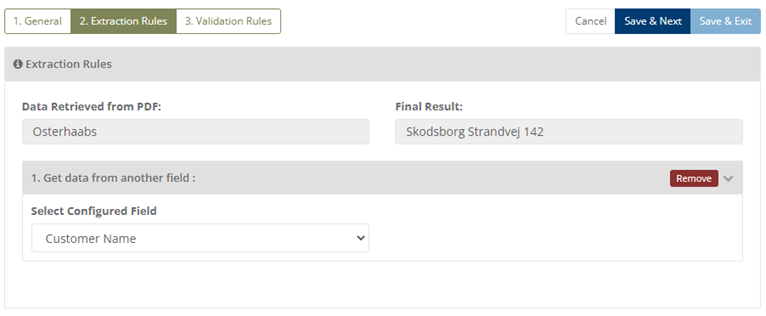
Example 1
Input: string="Matilda"
       Select Configured Field= Total
       Applied Function Get data from another field("Matilda")
Output: 2,955.00
31. Validate AONumber
This function will return the TDC AO number.
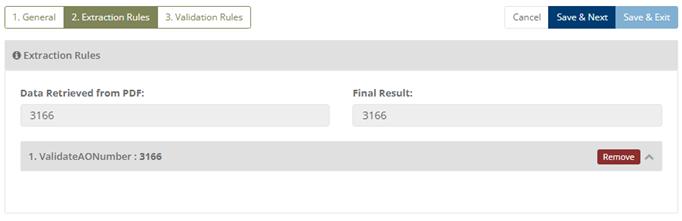
Example 1
Input: string="2035"
       Applied Function Validate AONumber("2035")
       "AO Number only contains 4 digit number"
Output: 2035
32. Get Number From Array
This function will return the number from a given string by separating it with a given character.
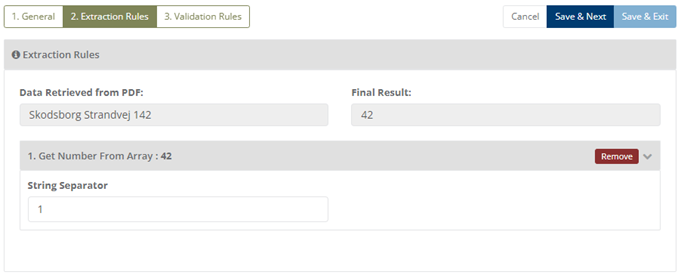
Example 1
Input: string="2035 ABC"
       String Separator=3
       Applied Function Validate Get Number From Array("2035 ABC")
Output: 20
33. Get Decimal Digit From String
This function will return a Decimal digit from a given string.
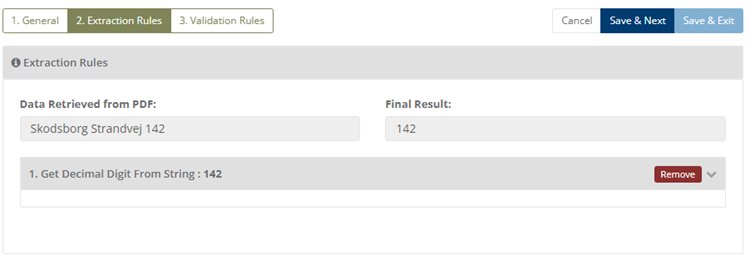
Example 1
Input: string="3400 XYZABC"
       Applied Function Get Decimal Digit From String("3400 XYZABC")
Output: 3400
34. Get HUBQualifier Type
This function will return the qualifier value.
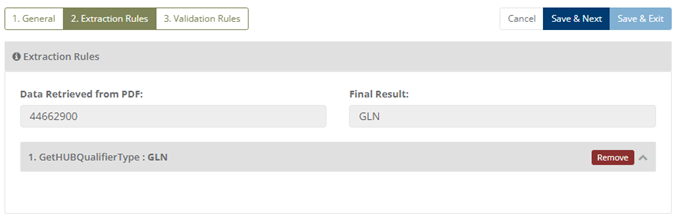
Example 1
Input: string="DK6493094585899068"
       Applied Function Get HUBQualifier Type("DK6493094585899068")
Output: DK:CVR
35. Add Date But Excluding Weekends
This function will return the date excluding weekends as per the number of days required.
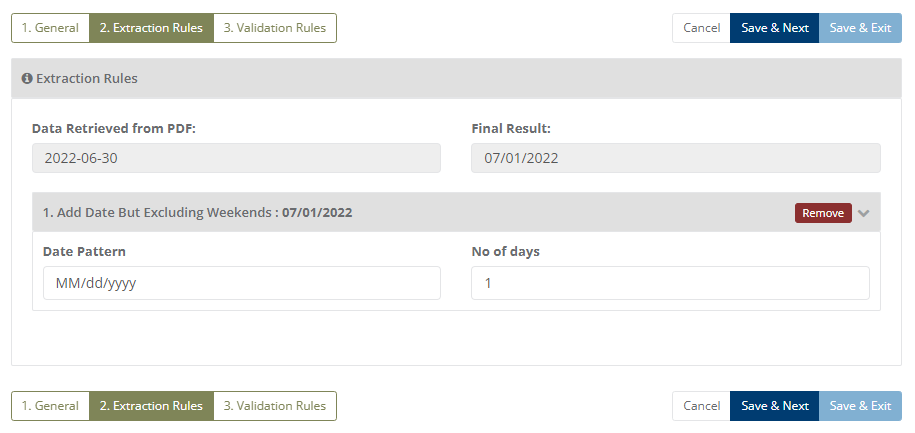
Example 1
Input: 2022/07/05
Date Pattern: yyyy/MM/dd , No of Days: 2
Output: 2022/07/09
(NOTE: It will exclude the date which comes on the weekend)
36. Add Date
This Function will return the Date as per the number of Days Required.
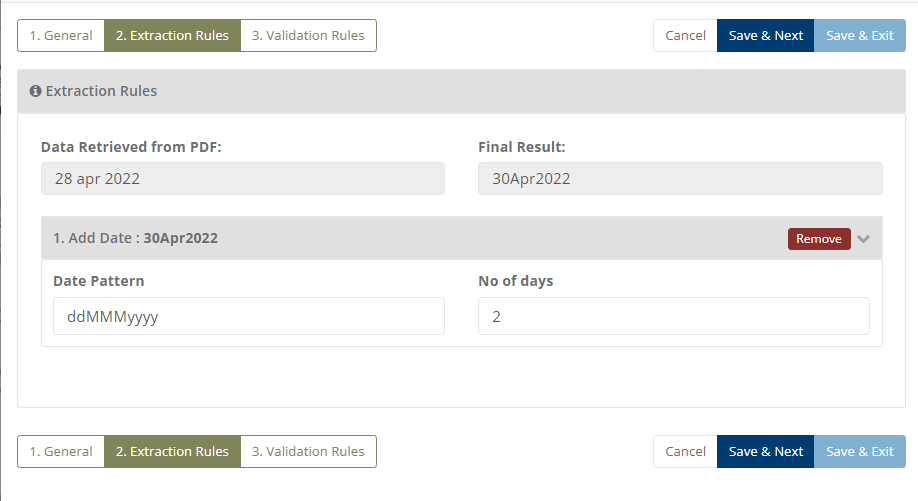
Example 1
Input: 2022/07/05
Date Pattern: yyyy/MM/dd , No of Days: 2
Output: 2022/07/07
37. Substract date but excluding weekends
This function will Subtract the Date as per the number of days given but excluding weekends.
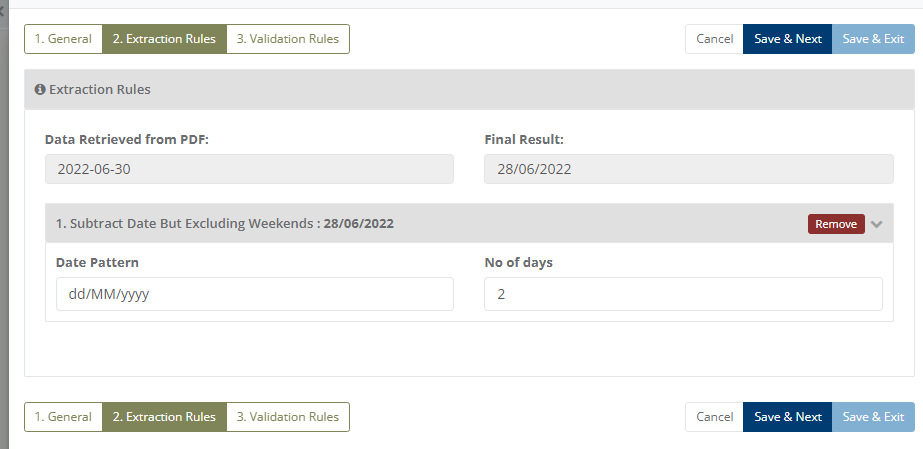
Example 1
Input: 2022/07/09
Date Pattern: yyyy/MM/dd , No of Days: 1
Output: 2022/07/06
(NOTE: Here the date is 2022/07/09 and the weekend dates are 2022/07/08 and 2022/07/07 so the function will exclude these weekend dates and gives output i.e. 2022/07/06 )
38. Grab String From String
This function will return only the part of the string from given string as per the requirement.
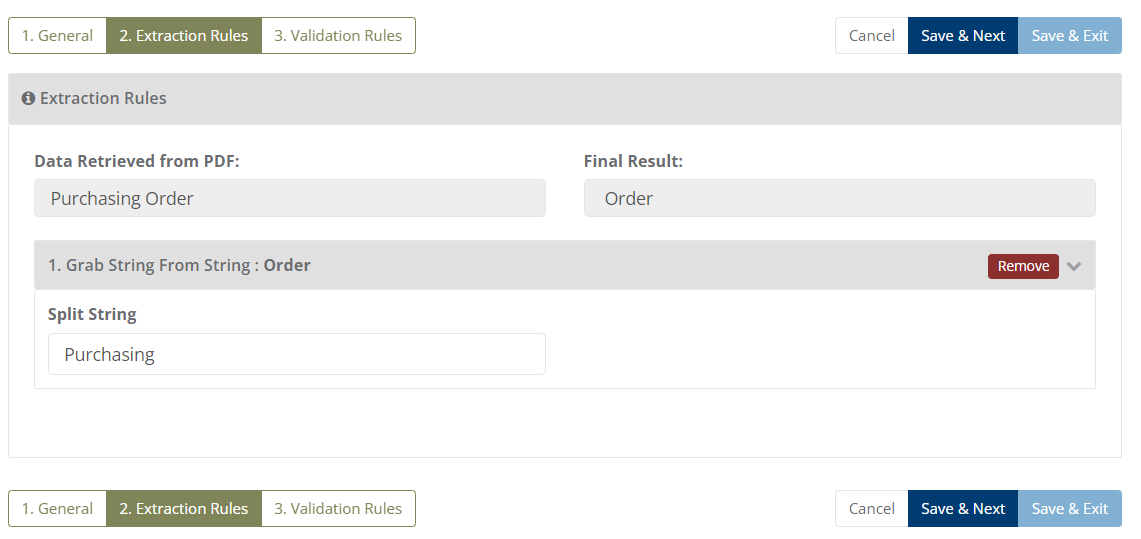
Example 1
Input string: Purchasing Order
Split string: Purchasing
Output string: Order
39. Conversion of text into Title text
For converting text into Title text ToTitleCase() function is useful, which converts the given text or string into Title cathe se style.
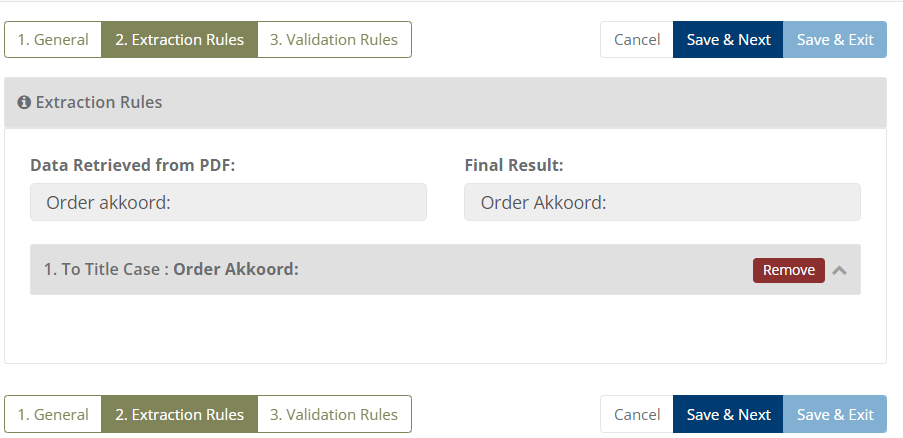
Example 1
Input: Order akkoord
Output: Order Akkoord
40. When Date Is Empty/Past/Today Use DayAfterTomorrow
This function will return the Day After Tomorrow date from the present day/date.
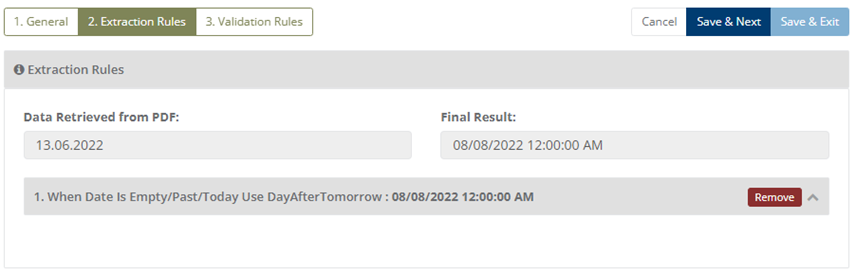
Example 1
Input: 2022/07/01 (Past date)
Date Pattern: dd/MM/yyyy
Output: 03/08/2022
(While adding this example the present date is 2022/08/01 so we get output as 2022/08/03)

(NOTE: This function is used when the date is not given/Past date/Today's date is given, we will get the date of the day after tomorrow from the present day/date but excluding weekends.)
41. DateEmpty_UseCurrentDate
This function will return the present date.
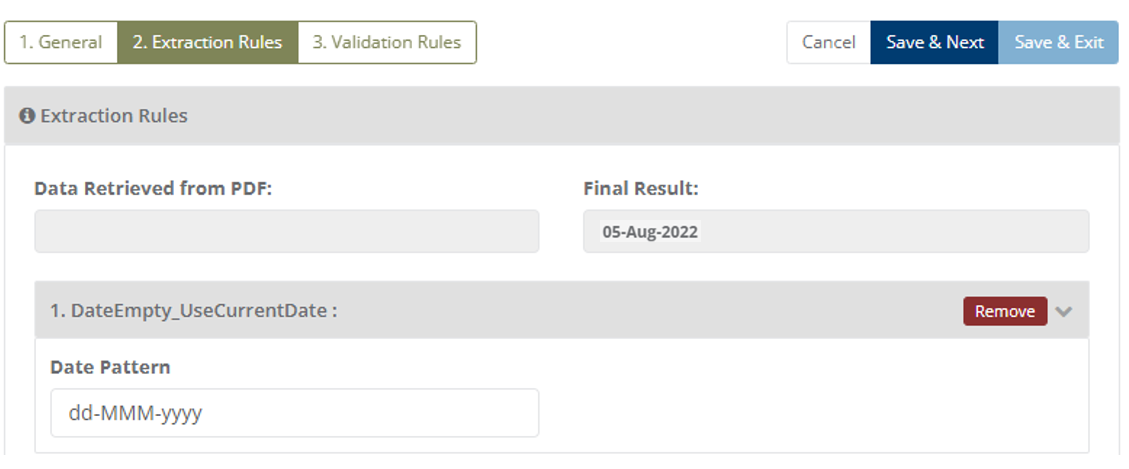
Example 1
Input: NULL
Date Pattern: Any date pattern can be applied according to the requirements
Output: 03/08/2022
(While adding this example the present date is 03/08/2022, here date pattern is dd/MM/yyyy)

(NOTE: This function is used when the date is Empty/Not Given, so we will get the present date by applying this function as per the desired date pattern.)
42. Get Character Before Digits
This function will extract all the characters which are placed before digits.
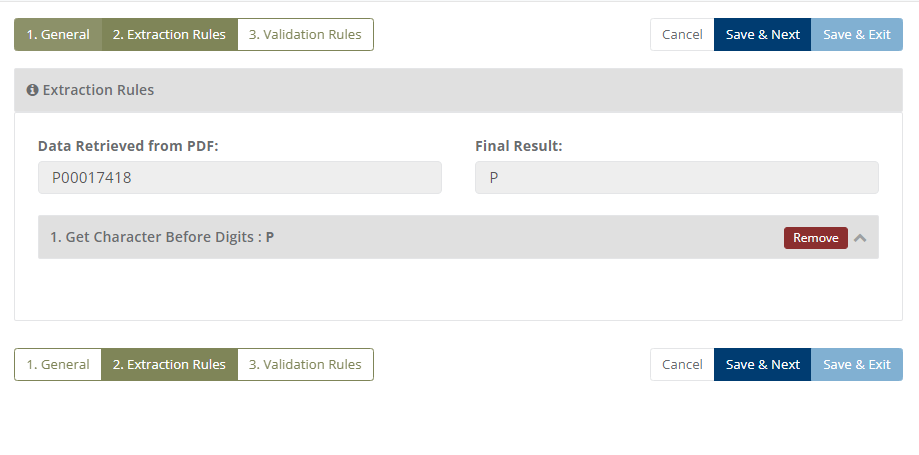
Example 1
Input: P00017418
Output: P

(NOTE: Here P is the only character that is placed before digits so we will get output as P. In the same way, using this function we will get all the characters which has been placed before digits.)
43. GetLineNumberAfterZero
This function will return the line number coming after zero at line level.
Example 1
Input: 010
Output: 10

(NOTE: Applicable to only line-level data.)
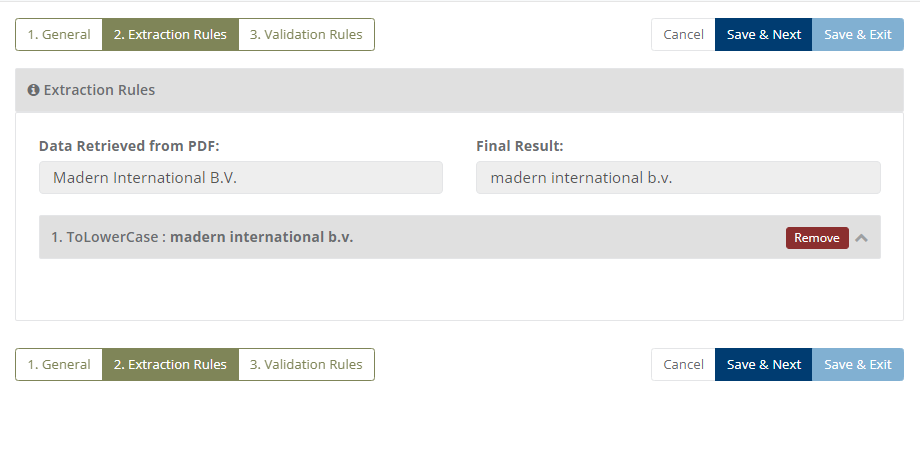
44. ToLowerCase
This function will return the whole string in small letters/lower case.
Example 1
Input: Madern International B.V.
Output: madern international b.v.
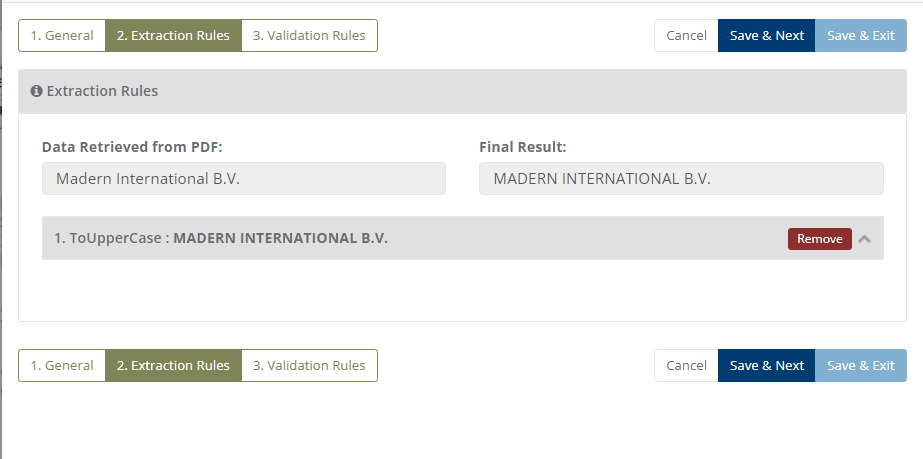
45. ToUpperCase
This function will return whole string in Upper case.
Example 1
Input: Madern International B.V.
Output: MADERN INTERNATIONAL B.V.
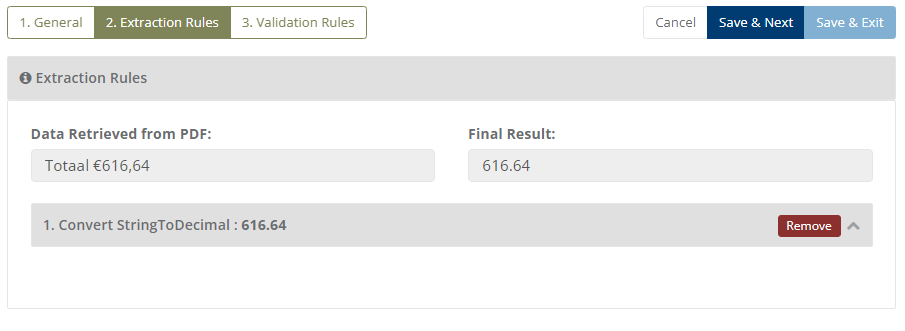
46. Convert String To Decimal
This function will return only digits with decimal point from input string.
Example 1
Input: Totaal € 616,64
Output: 616.64
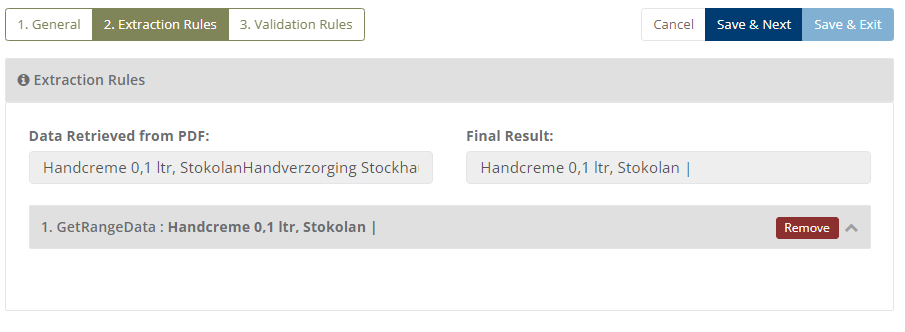
47. Get Range Data
This function will return data from the specific line number.
Example 1
Input: Handcreme 0,1 ltr, Stokolan
       Handverzorging Stockhausen Stokolan
Here, Line 1 is:Handcreme 0,1 ltr, Stokolan
      Line 2 is:Handverzorging Stockhausen Stokolan
Output: Handcreme 0,1 ltr, Stokolan
Note: Here, range 1 is entered by the user so only Line 1 data is displayed in the output.
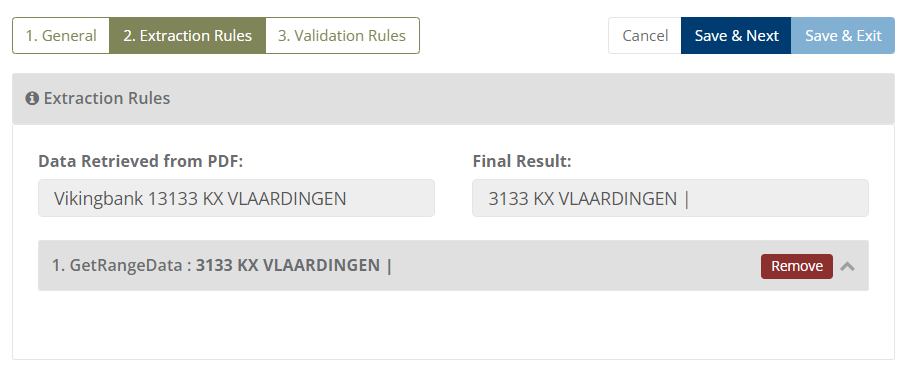
Example 2
Input: Vikingbank 1
       3133 KX VLAARDINGEN
Here, Line 1 is:Vikingbank 1
      Line 2 is:3133 KX VLAARDINGEN
Output: 3133 KX VLAARDINGEN
Note: Here, range 2 is entered by the user so only Line 2 data is displayed in the output.
48. Subtract Date
This function will return the date by subtracting the days provided by user.
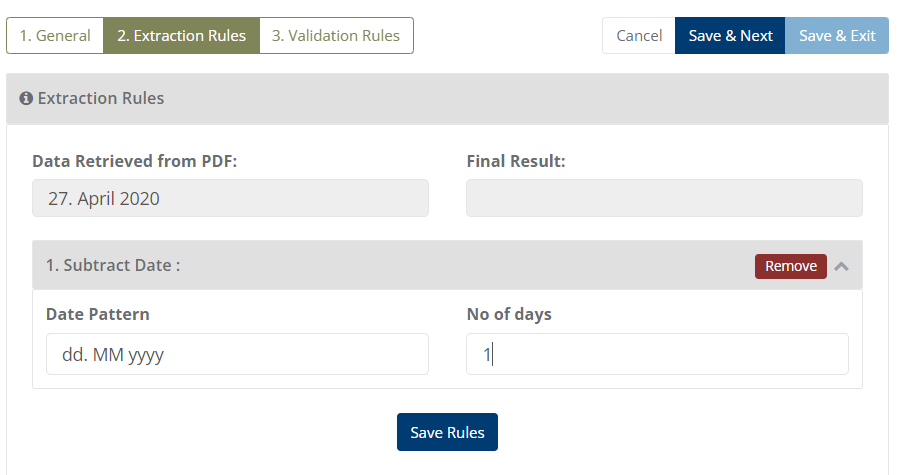
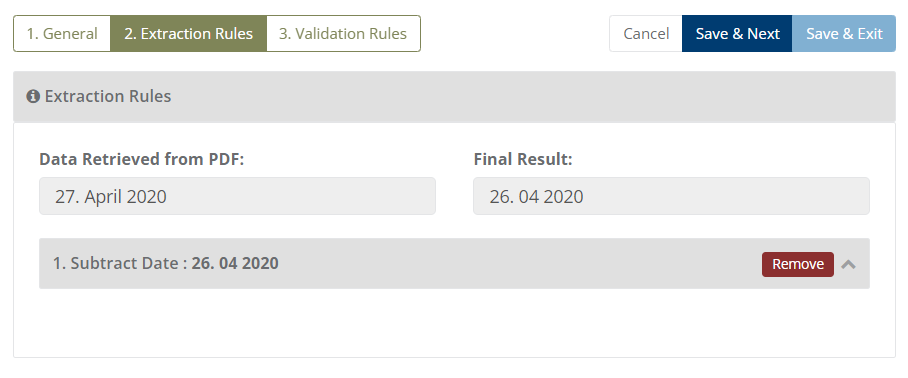
Example 1
Input:  27. April 2020
Number of days which will be subtracting : 1
Output: 26. 04 2020
49. StartWithDigit
This function will only return the string if it is starting with a digit.
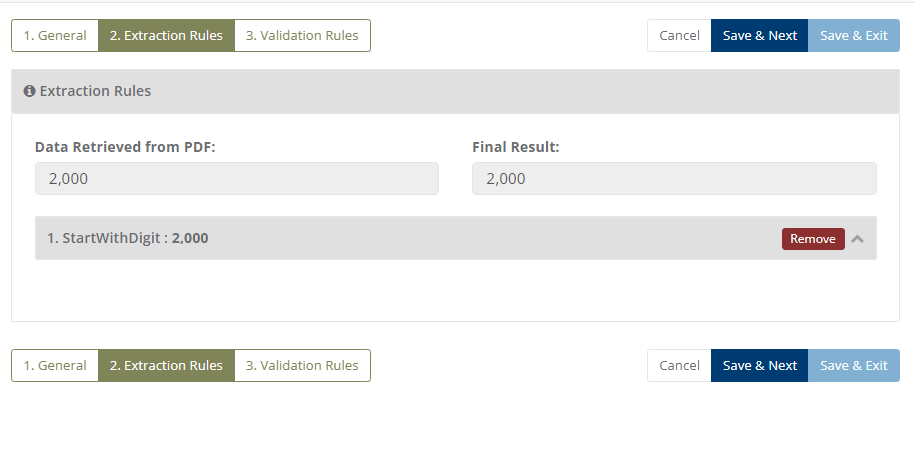
Example 1
Input: 2,000
Output: 2,000

Example 2
Input: P25689
Output: Fail/Empty

(NOTE: This function will only work when the string is starting with digit. As you can see in the examples given above.)
50. RoundDecimal
This function will return the Round value which is coming after.
Example 1
Input: 1.0859
Output: 1.09 (Here we want only 2 digits after the decimal point)

As shown in the example this function returns the round value that is 1.09.

(NOTE: Here you can also give that how many digits you want after the decimal point.)
51. IsContainsAndReplace
This function will return the string which contains a word and replace it.
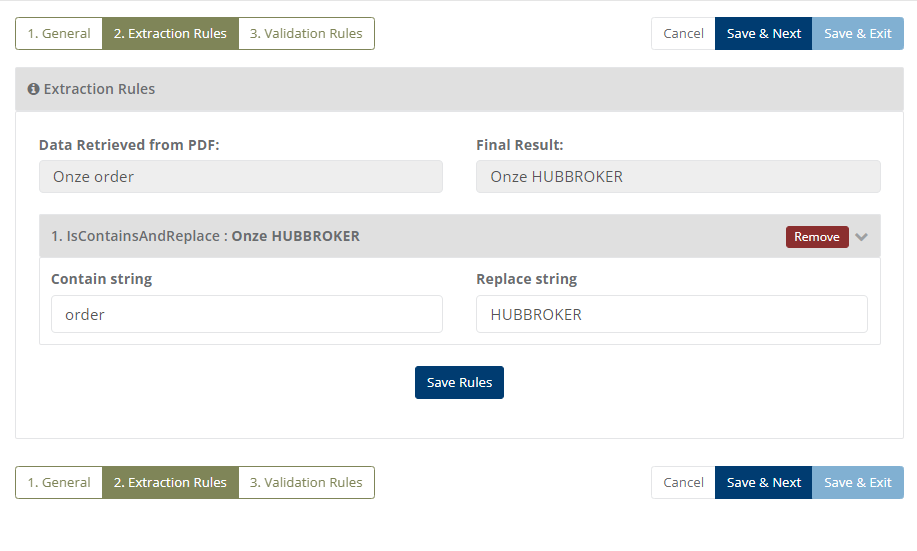
Example 1
Input: Ozone order
Output: Ozone HUBBROKER

As shown in the figure the input string contains the word order and we have replaced the order with HUBBROKER

(NOTE: It will select the current word of the selected string which is not required  and replace it with required word.)
52. Get Single Word From Double Word
This function will return a single word form two words or more than two words.
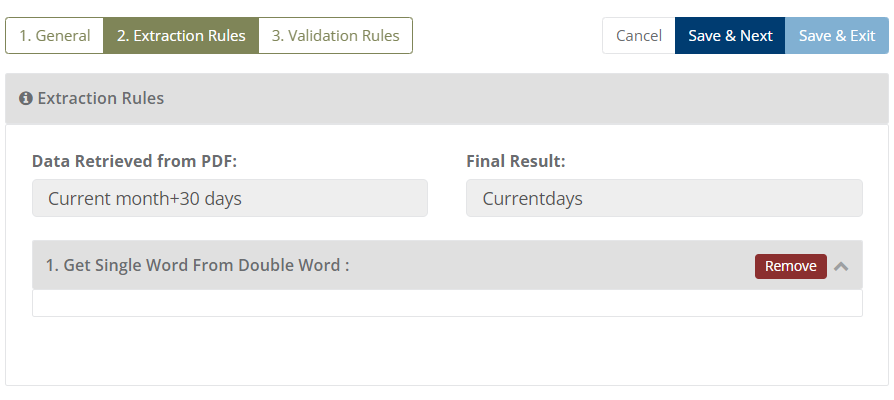
Example 1
Input: Current month+30 days
Output: Current

As shown in the image there are two words - Current month+30 days. After applying the function we can get output in a single word, and the output is - Current.
