Amazon : Product synchronization


Features
- Synchronization of products quantity into Amazon webshop
- Define notification settings (Positive/Negative email notifications to the app users)
- Send documents daily, weekly, hourly based on scheduling mechanism.
- Share Adaptor with other users in your subscription with lots of security features.
Configuration flow
Procedure to activate Adaptor Amazon products synchronization
Navigate to Adaptors-> My Adaptors, there you can find New Adaptor Button which you can click and you have below popup where you can select the source as a FTP or any other , destination as Amazon and doc type as Price catalogue.
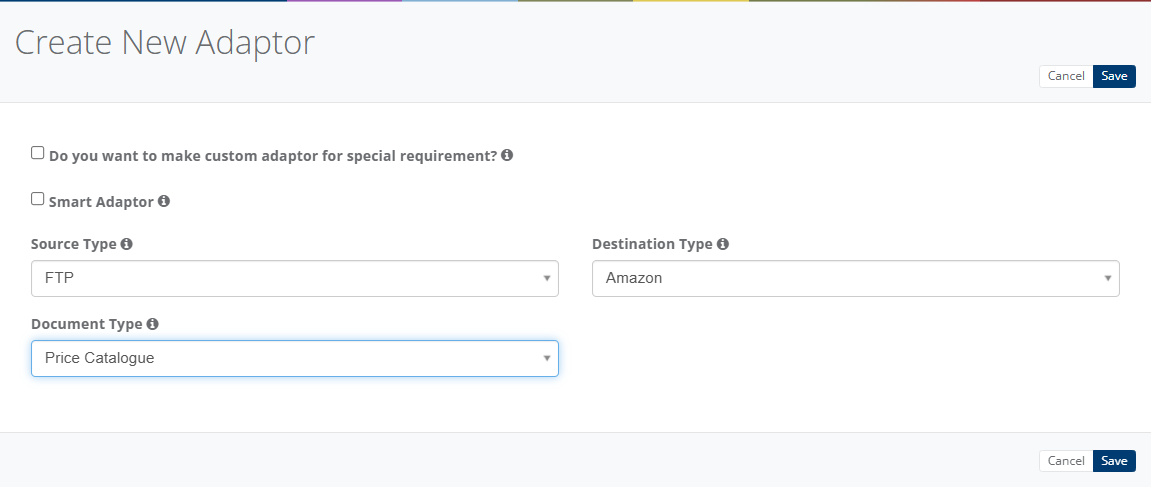
After activation of Adaptor it will navigate to 'General' screen of Adaptor
Procedure to configure Adaptor Amazon Products synchronization
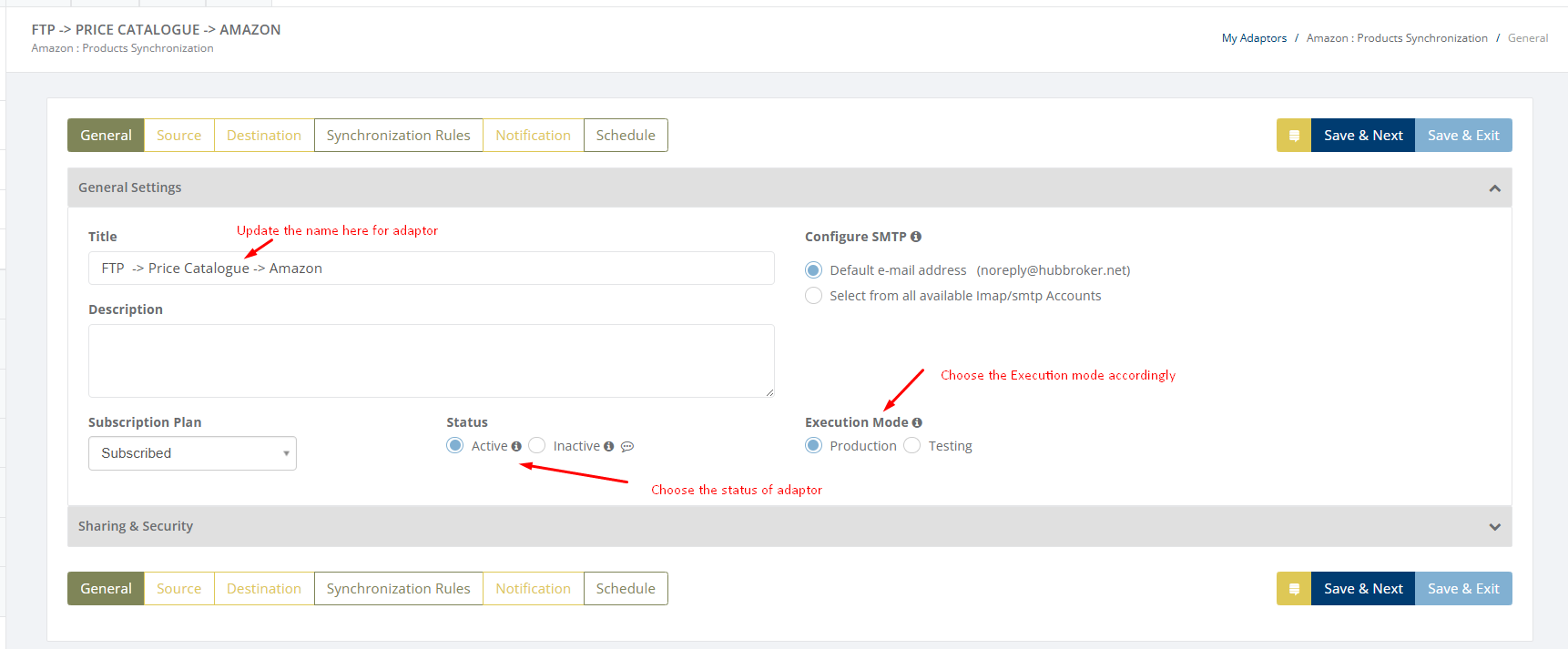
In General you can manage different settings described in below(General) image

Click on 'Source' to connect source gateway for products synchronization
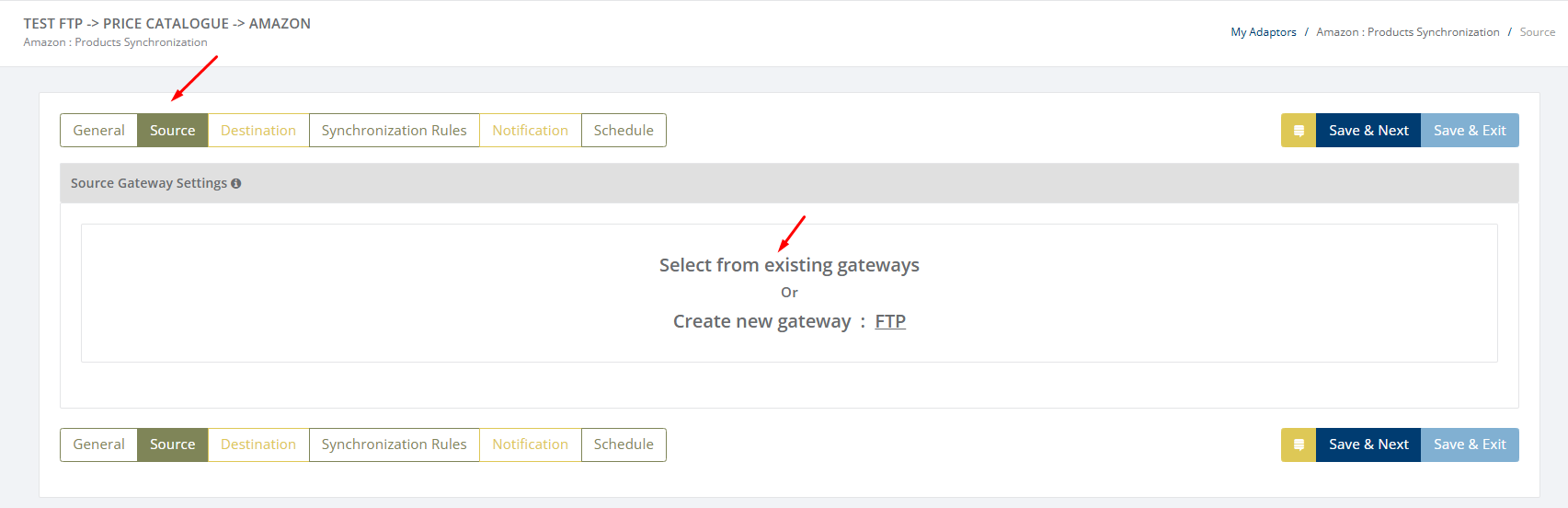
Learn how to connect source gateway - Click here
Click on 'Destination' to connect new Amazon webshop with iPaaS
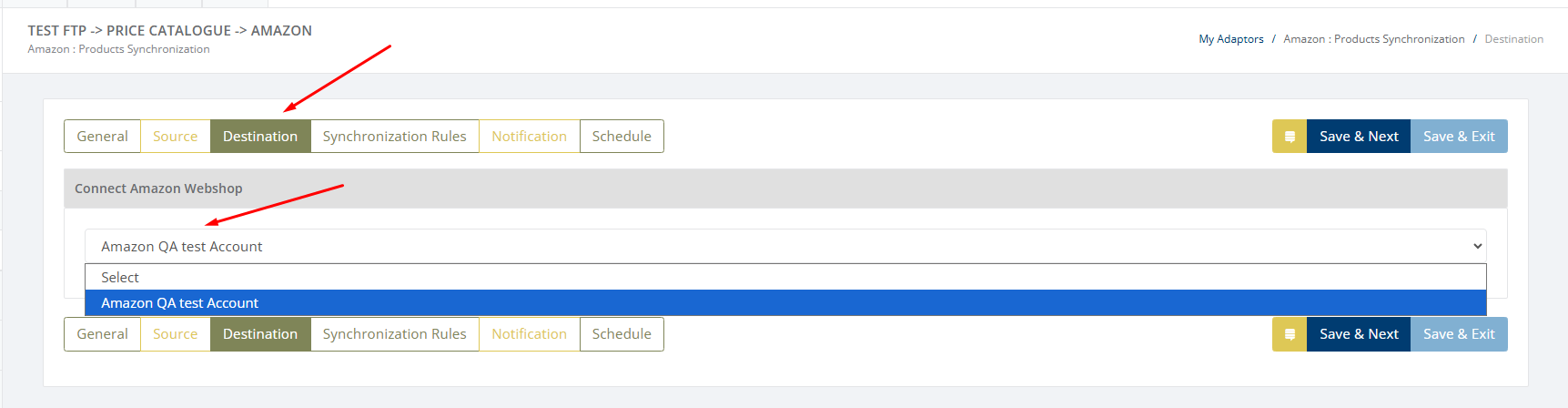
Learn how to connect Amazon webshop with iPaaS? - Click here
Click on 'Synchronization rules' to configure settings for products synchronization
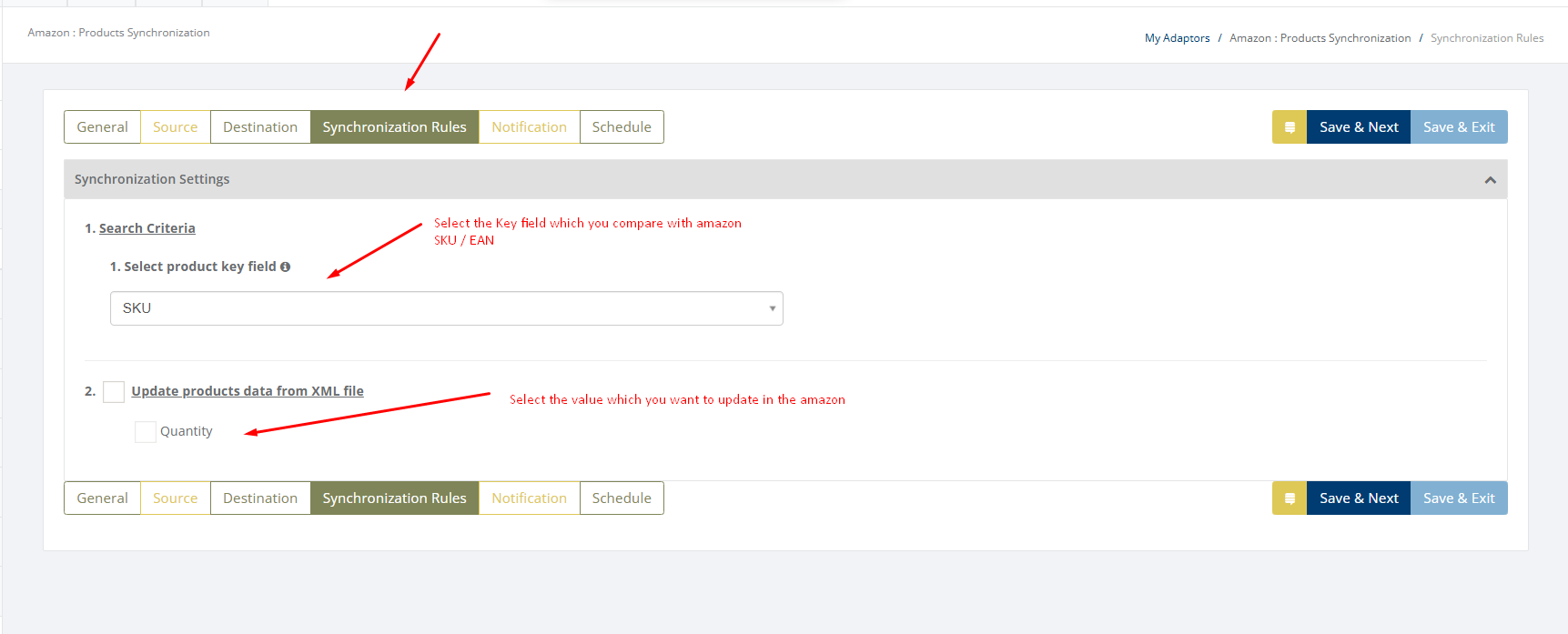
Only Quantity get updated in amazon and can configure it in Hubapp.
Notification settings
Feature to send positive and negative notifications for document and Adaptor level
Learn more about notification settings - Click here
Schedule settings
You can set schedule for Adaptor when you want to be run the Adaptor automatically
Learn more about schedule settings - Click here
Dashboard
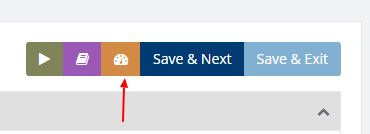
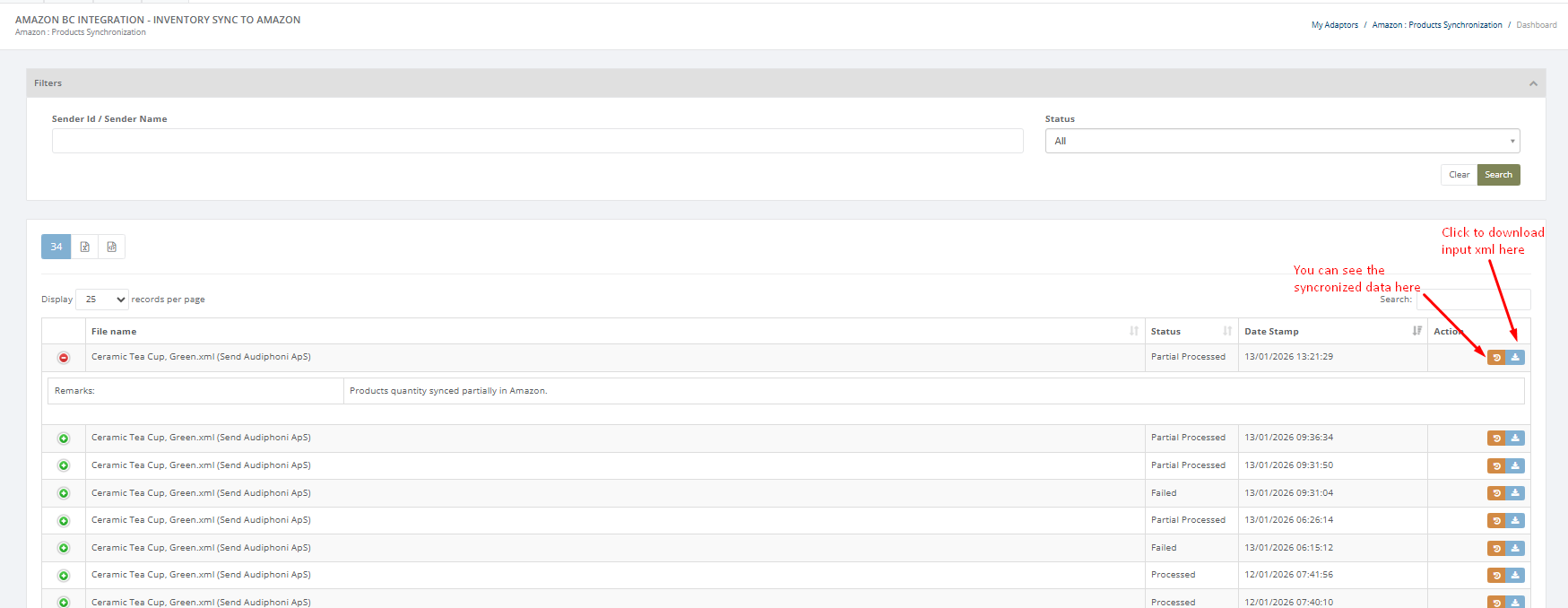
You can view all the transactions of Adaptor through Dashboard
You can view all the details of synchronization data for products into Amazon webshop like filename, status etc.
Category: Adaptor
Last date of update: 05.03.2026
