Post Sender Gateway

Post Receiver Gateway can be used as a destination in Adaptors to read documents.
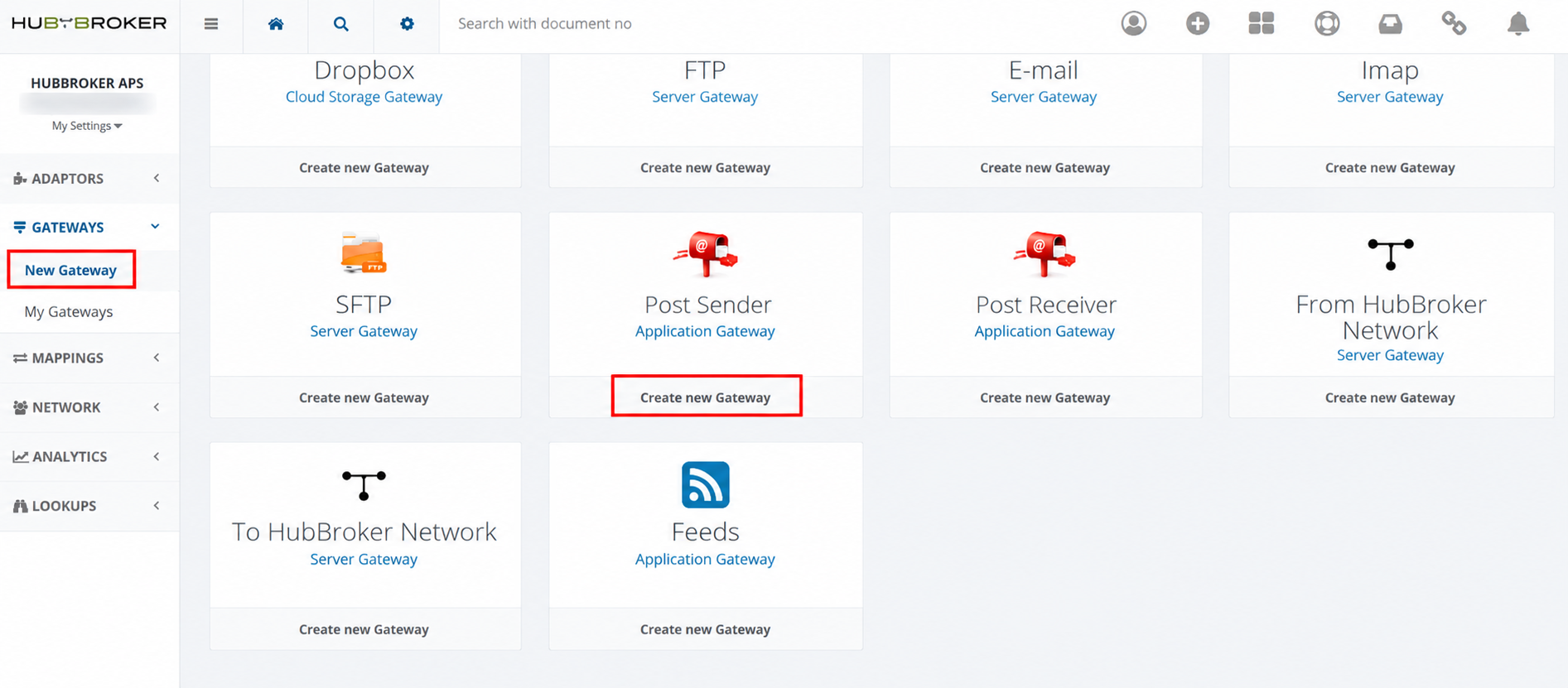
Go to the Gateways -> New Gateway -> Create New Gateway:
We create the POST URL on our server and provide the details to your trading partner in the below format.
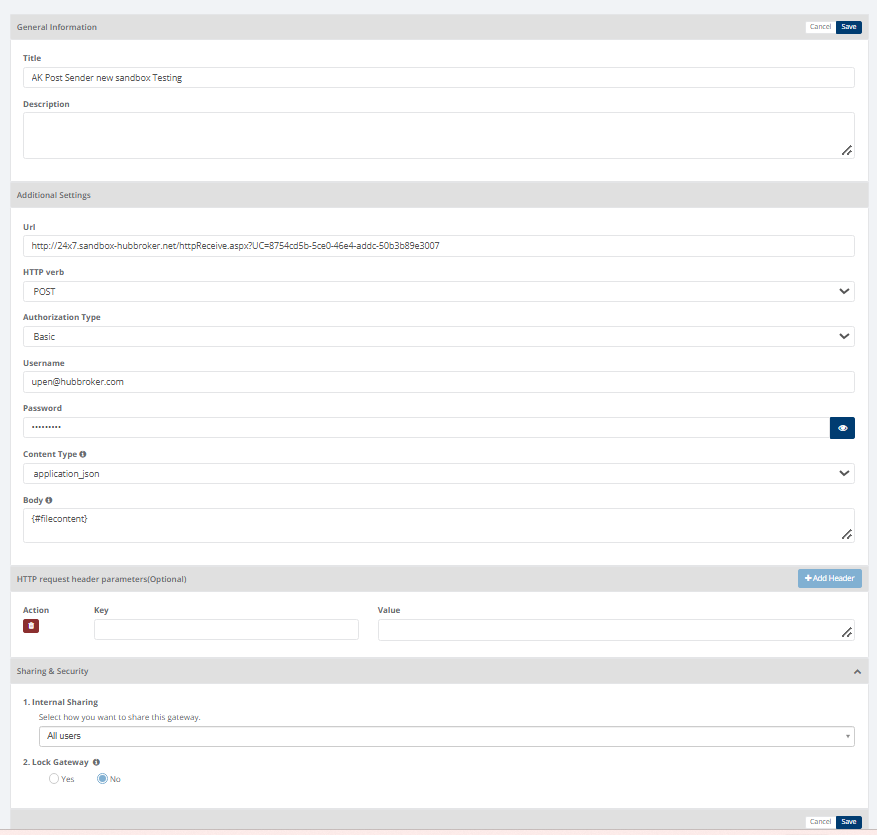
Once the connection is established your trading partner can receive documents via the POST URL and then access it or import to their system.
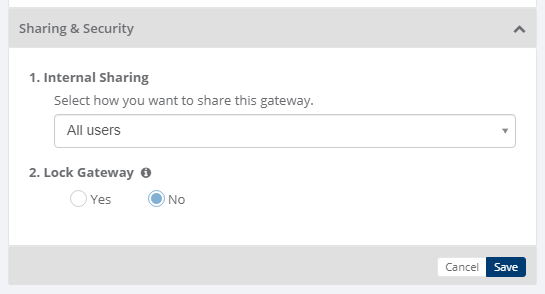
Sharing & Security
Sharing and security is used to share Gateways with other users in your subscription with lots of security features.
Below options are available for sharing and security for gateways
- Internal Sharing
- Lock Gateway
1. Internal sharing
User can share the gateway to other users using below options
- Only Me: Gateway will not be shared to any user, only that user can use the gateway
- All Users: Gateway will be shared to all the users and all the users can use the gateway
- Specific user group: You need to select some user groups so gateway will be shared to selected user groups and the users of that user groups only can use the gateway
- Only admin users: Gateway will be shared to admin users of that company.
2. Lock gateway
User can lock the gateway,
- If gateway is locked, and gateway is shared to other users then other users will not be able to edit the gateway settings, they can only use the gateway
- If gateway is not locked, then other user can edit the gateway details
Category: Gateway
Last date of update: 14.10.2026
