Adaptor: Source Gateways

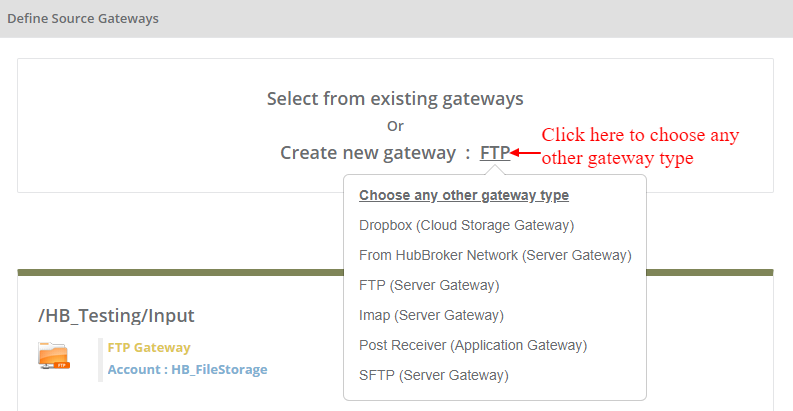
You can select any gateway from existing gateway or you can create new gateway of below different types:
- FTP
- SFTP
- Dropbox
- Imap
- From VANS
- Post Receiver
You can select multiple gateways as a source gateway.
You can not select same source gateway in multiple Adaptor as a source
You can create new gateway by clicking on 'Create new gateway'
Learn more about gateways - Click here

If you choose 'From HubBroker Network' gateway and it's not usable any other adaptor as a source then it will be set automatically as a source gateway.
You can select any gateway as a source from existing gateways by clicking on 'Select from existing gateways', and it will display all the existing gateways and you can choose any gateway.
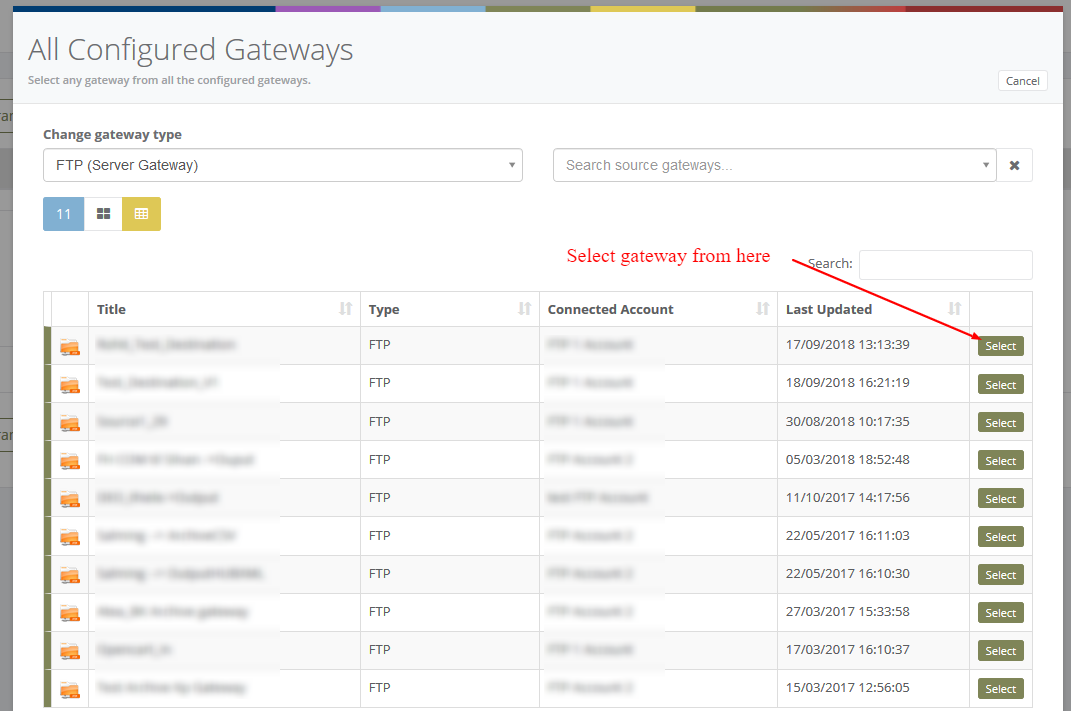
When you clicked on selected gateway type (For Ex: FTP)then below image will be displayed and you can choose any other gateway as a source for input
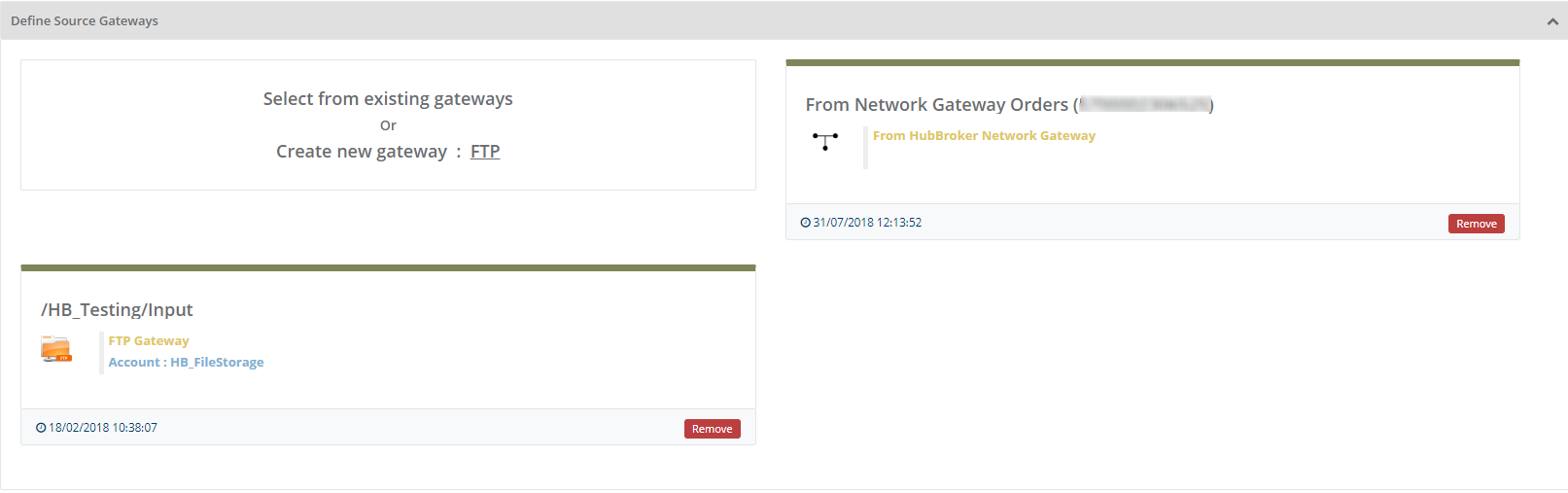
After selection of source gateway, it will be displayed like below:
Category: Gateway
Last date of update: 24.09.2018
