Adaptor: Destination

You can choose multiple destination gateway in one adaptor
Learn more about gateways - Click here
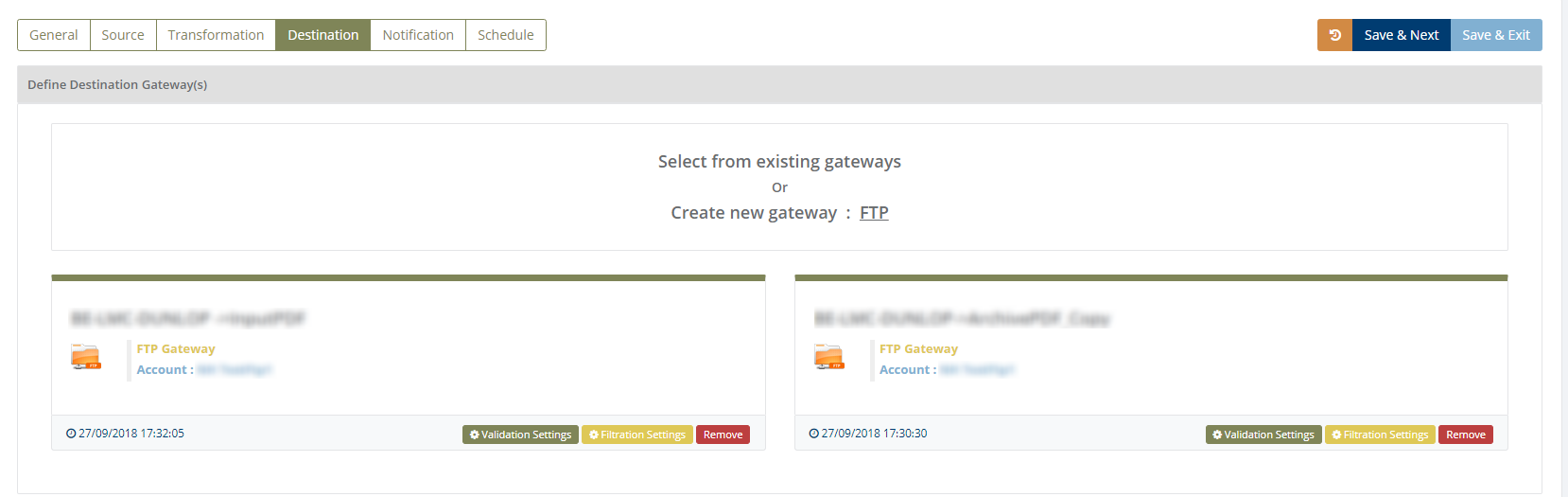
You can do validation settings and filtration settings for destination in adaptor
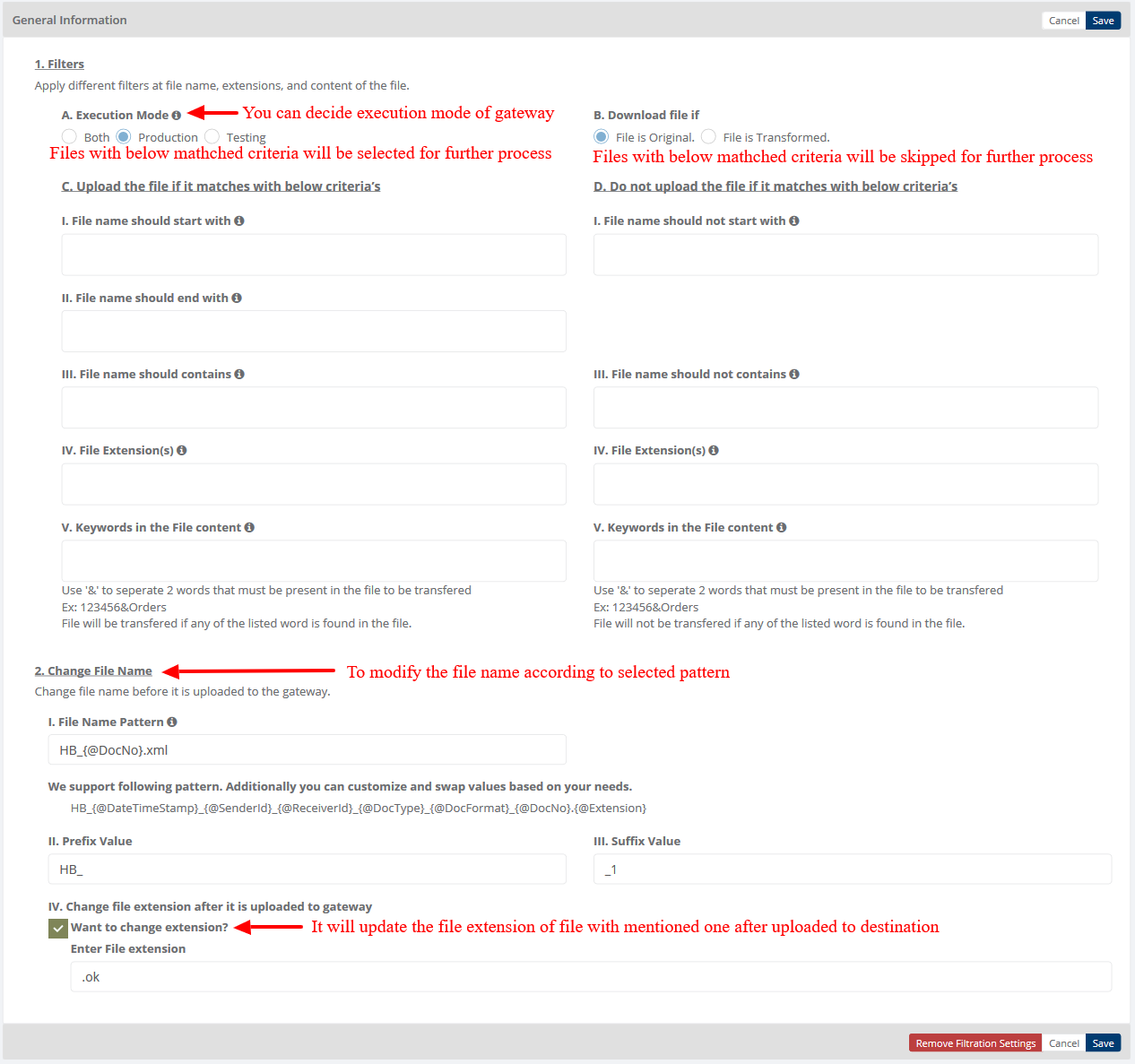
Filtration Settings
A. Execution Mode: You can decide the execution of gateway to test, production of both.
B. Download file if: Default selected option is "File is Original" because source gateway only accepts original files.
C. Download the file if it matches with below criteria’s
I. File name should start with: Transfer file if file name begins with given names (multiple file names separated by comma).
II. File name should end with: Transfer file if file name ends with given names (multiple file names separated by comma).
III. File name should contains: Transfer file if file name contains given names (multiple file names separated by comma).
IV. File extension(s): Transfer file for given file extensions (multiple file extensions separated by comma).
V. Keywords in the File content: Transfer file having given keywords (multiple keywords separated by comma).
D. Do not download the file if it matches with below criteria’s
I. File name should not start with: Do not transfer file if file name begins with given names (multiple file names separated by comma).
III. File name should not contains: Do not transfer file if file name contains given names (multiple file names separated by comma).
IV. File extension(s): Do not transfer file for given file extensions (multiple file extensions separated by comma).
V. Keywords in the File content: Do not transfer file having given keywords (multiple keywords separated by comma).
2) After transferring file:
Here user can define what will be the filename after file has been transfer to the gateway.
I. Prefix Value: User can define prefix value for file.
II. Suffix Value: User can define suffix value for file.
III. File Name Pattern: User can define file name pattern as per requirement. Default format is " HB_{@DateTimeStamp}_{@SenderId}_{@ReceiverId}_{@DocType}_{@DocFormat}_{@DocNo}.xml". User can customize and swap values based on their needs.
IV. Change file name extension after file is uploaded to destination gateway: User can define file extension so file will be uploaded to destination gateway with defined extension
Category: Gateway
Last date of update: 13.08.2019
